
Buy Facebook Comments
⇝ For Posts & AdsBuy Facebook comments from INSTABOOST in your own words, as friendly random replies or as emoji. A post with comments looks talked about.


Choose Your Facebook Comments
Emoji-Only Comments
Custom or Random
Custom in Any Language
Is It Safe to Buy Facebook Comments?
A ban isn't how this ends: at most, Facebook removes some of the comments, and the free refill covers that. Here's what to expect from INSTABOOST while your comments roll in.

Your Words or Ours
With custom comments, you know the exact wording because you write it. Random comments are short remarks.
Nothing to Set Up
Nothing to set up or hand over: keep posting and replying as usual while the comments arrive under your post.
Public Posts Only
Comments only go on public posts. Your messages, page settings, and admin roles stay exactly as they were.
Link Only
We only need the link to your post. We never ask for your password, and we never log in to your Facebook page.
 Client:
Why INSTABOOST for Facebook Comments?
 Us:
Because we built this service for businesses that sell through their Facebook pages. You decide which post needs comments and what kind would fit. If customers tend to ask about a particular detail, you can write that exact question as a custom comment. Every order includes a free 60-day refill. Not sure where to start? Our support team can help you pick a post so you can see how the comments look on your own page.
Our Social Media Weather page tracks what's happening on Facebook each day. Anyone can read it, whether they've ordered from us or not. Businesses that sell on Facebook tend to bookmark it for a quick, plain-English rundown of what's changed on the platform that week.
We've been working with social media pages since 2019. INSTABOOST handles thousands of orders every month across Facebook, Instagram, TikTok, and YouTube for customers ranging from local shops to brands that run ads every week. The advice on this page comes from that experience: which posts benefit most from comments, what kind suits each post, and how to make a thread read like a conversation.
Put Facebook Comments Where Customers Look
More Tools for Facebook Growth:
 Buy Facebook Views
Facebook views show that your videos and Reels are being watched, not just posted.
Add Views to Videos ⇝ Buy Facebook Reactions
Facebook reactions like ❤️ Love, 😆 Haha, and 😮 Wow show how people feel about a post.
Pick Your Reactions ⇝ Buy Facebook Likes
Facebook likes show that people already approve of a post before the comments even start.
Add Likes to a Post ⇝
 Grow Your Facebook Follower Count
Facebook followers make a new page look established to anyone who lands on it.
Grow Your Following ⇝ Buy Facebook Shares
Facebook shares raise the count of times your post was passed along.
Get Post Shares ⇝

Customers Love The Results














 Facebook


 Our Blog

Keep the Conversation Going on Every Network
Every platform handles comments a little differently. Here's how they work on each one.

Even a good YouTube video can look unfinished without a single comment under it. YouTube comments from INSTABOOST give viewers something to read and respond to once they've watched. For someone new to the channel, a discussion worth scrolling through can be a reason to stick around and subscribe.

Plenty of likes on an Instagram photo tell you people double-tapped. Without comments, it's hard to tell what caught their eye. With Instagram comments, you choose the words under a photo or Reel, including questions about a launch or reactions to a new collection. Someone who finds it later through a hashtag can read that discussion, too.

On TikTok, people often read the comments while a video loops. If the thread is empty, there's nothing to join in on. TikTok comments give the next viewer something to laugh at, agree with, or answer while they watch. They also give you material for a follow-up: reply to a comment with a video, and that reply becomes a new clip.
Comments are only one part of making a channel look active to a newcomer. Our YouTube services cover the other numbers a visitor checks first, such as views and subscribers, so the count and the conversation on a new channel match each other. That gives a first-time viewer a clear reason to hit the subscribe button.
Shoppers often read the comments on an Instagram product photo before asking what it costs. Our Instagram engagement services add likes and comments so visitors can see they aren't the first to take an interest. A question about sizes or delivery can cover just what the next buyer wants to know, making that first message easier to send.

Facebook is only one piece of the picture. On the INSTABOOST home page you'll find the same kinds of services for Instagram, TikTok, YouTube, and more. A brand that posts in several places can keep every profile looking equally active, so customers who look you up elsewhere see the same energy everywhere.
Your Questions About Buying Facebook Comments
Results
4 questionsBecause a comment can tell you why someone reacted. A 👍 Like or a ❤️ Love shows approval at a glance. Someone who stops to write a comment usually has something more specific to say. For the next person scrolling past, what that reader noticed about the post is often the part worth stopping to read.
Even when a post has plenty of reactions, it can feel quiet if everyone seems to have tapped and moved on. A reader who asks a question, explains a point, or disagrees with you adds something a count can't show: what went through their mind when they saw the post.
Facebook also gives a few comments a place of their own. In the feed, a post often shows one or two comments right beneath it, chosen by Facebook's default “Most relevant” sorting. Plenty of people read those without ever opening the full thread. So those previewed comments reach far more people than the rest of the thread. For a business page, they work almost like a second caption, written in someone else's voice. That's a good reason to make every custom line one you'd be happy to see in that spot.
Once visitors start adding their own comments, the thread becomes useful to you as well. The words people use show which part of the post caught their eye, whether it was the price, a color, or the location. That tells you what to put up front the next time you post something similar.
Facebook decides who sees a post. What you can change is what people find when they get there. A like tells a reader that someone liked the photo, but a comment gives them a question or an opinion to consider. Someone who might otherwise glance at the picture and scroll past now has a reason to pause, read what people have said, and follow the conversation under the post.
What comments can't do is carry a weak post on their own. If the photo is unclear or the offer isn't interesting, a busy thread won't change much. They work best on a post that already gives people a reason to stop, where they turn a passing glance into a few minutes of attention. That's why it pays to choose your strongest posts for them.
A mix of engagement gives readers a fuller picture. Facebook shares show that people have passed the post along. With reactions like ❤️ Love and 😮 Wow, visitors can tell at a glance how others felt, and in the comments they can read what people had to say. Each is a separate order for the same post. Add them together or one at a time as interest grows.
Yes. An empty thread is especially noticeable under a video or Reel with plenty of views. The count tells visitors people watched, but not what they took away from it. A comment can tell them which part someone liked, what made them laugh, or which tip they learned from the clip.
Emoji comments suit videos especially well, since a 😂 or a 🔥 reads at a glance without pulling attention away from the clip. Custom comments can point at a specific moment instead: the trick at the end, the second tip, the song in the background. That makes them feel tied to what the viewer just saw.
If the video is new, order Facebook views for it as well. A video that shows plenty of views and a thread to match looks both watched and discussed, which is a far more convincing picture than either number on its own. Order both at the same time so the numbers climb together.
They tell visitors whether anyone is listening. A person who lands on your page for the first time usually checks two things within a few seconds: how many people follow it, and whether the latest posts got any response. Those two signals need to agree. A page with a solid follower count and silent posts looks abandoned, while lively threads look even more convincing on a page with a following to match. If your follower count is still small, adding Facebook followers brings it in line with the conversation under your posts.
Once your following and your threads tell the same story, the details matter. A visitor might see a question about a new product, a few emoji under a photo, or “2d” next to a comment rather than “1y.” None of that needs to be dramatic. A little recent interest can be all the reassurance someone needs before they follow your page, send a message, or buy.
This matters most in crowded categories like restaurants, beauty, fitness, coaching, and online shops, where a customer often has two or three similar pages open at once. When the prices and photos look alike, the page where people seem to be talking usually feels like the safer choice. Comments won't replace good service, but they make sure your page gets a fair look in that comparison.
Ordering
4 questionsYes. With Custom Comments, you write one comment per line, up to 300 characters each. A short, casual remark works just as well as a full question. Use whatever sounds right for your page and fits the post.
Write them in the voice of the people who follow you. A café's followers write differently from a law firm's clients, and matching your audience's tone helps the comments blend right in.
Once the thread is up, you can draw attention to a particular comment. Say you've answered a question that customers ask all the time. You can order likes for that reply rather than for the post itself. Comment likes are a separate option on our Facebook likes page.
Yes, if your ad uses an existing public post from your page. Order with the post link, and the comments appear under that same post wherever the ad runs. Keep commenting open to everyone on the original post so that it can receive comments while you're advertising it.
People who first see your post as an ad usually don't know your page yet, and the comment thread is often the first thing they read. Write your custom comments with them in mind: the questions a first-time buyer would ask, answered in your own replies.
If you're creating a new post for the ad, you can order once the post is public. There's no need to edit the ad itself. Its first readers can follow the same thread whether they find the post through the ad or on your page.
Anything you've shared publicly works: a plain text update, a single photo, an album, a video, or a Reel. Just make sure the post is set to Public with commenting turned on. Business pages, public profiles, and public groups all work.
Photos and product shots are the most common choice, because that's where shoppers look for questions and opinions. Albums work well for collections or event galleries, where a few comments encourage people to browse further. Text posts do best with questions that invite a longer answer from you.
Stories are the one exception, since they don't have a public comment section. Replies to a Facebook Story go to your messages instead of appearing under it, so there's no thread for comments to land in. If you want comments on that content, share it as a regular post as well.
No. INSTABOOST offers comments that ask questions or react to a post, not Facebook reviews, page recommendations, or testimonials. The distinction is what the wording claims. “Ordered last week, arrived in two days, great quality” presents the writer as a customer describing a purchase. Passing off a comment as a customer's experience makes it a fake review. The same goes for a page recommendation written in the voice of a satisfied client. Please keep that kind of wording out of the custom comments you write.
It's also the weaker tactic. Invented praise tends to come across as invented, especially when several comments say the same nice thing in slightly different words, and shoppers have learned to skim past it. There's a legal side as well. Buying engagement for your own posts isn't illegal, but in the US the FTC bars using bought metrics to mislead customers in ads, and fake customer reviews are restricted in many countries. A comment written as a buyer's story is exactly the kind of text those rules cover. Rules differ from one country to the next, so the simplest habit is to keep buyer stories out of your comments altogether. Questions and reactions stay clear of the problem, because they don't claim that anyone bought anything. If you want proof of your quality on the page, invite the customers you already have to leave a recommendation after their purchase, and use custom comments for the questions and reactions around your posts.
How it works
2 questionsCustom comments go to one post, while random and emoji comments are spread across several.
Comments belong to the post they're under. If you delete a post and share a corrected version, the old comments disappear with it and the new post starts at zero. To fix a typo, a price, or a date, use Edit on the original post instead.
Random and emoji comments work best on a page that posts regularly. If your latest update is a few months old, add two or three fresh posts before you order, so the comments appear under posts that still look current to a visitor.
Spreading them helps when the whole page looks quiet. A visitor scrolling your profile sees a little activity under several posts instead of one busy post surrounded by silence, which looks far more like an ordinary, well-visited page.
Planning a series of posts about the same event, like a countdown to your opening? Pick the one you want people to come back to, usually the announcement with the date and booking details. Keep your custom comments on that post so the questions stay together.
Some posts deserve custom comments because of where their visitors come from. If you link to a post from your website, a QR code on the counter, a flyer, or an email to customers, everyone who follows that link lands on that one post. They arrive with interest but no history with your page, and the post is all they see before deciding. That makes it a strong candidate for your own wording, written with those visitors in mind. Double-check that it's the exact post you want before printing that QR code or link anywhere.
Yes. You can moderate comments you ordered just as you would any other comment on your post. If you hide one, the person who wrote it and their friends can still see it, but nobody else can. Delete it instead, and it's gone from the thread entirely.
Hiding is the gentler option for a comment that's merely off-tone, since nothing visibly disappears for the person who posted it. Deleting suits anything you'd rather not have on the page at all, such as a line that simply doesn't fit the post.
Treat comments from your customers differently. If a genuine complaint lands in the same thread, leave it up and deal with it in public. Visitors judge a page by how it handles a problem, and a thread where one was sorted out calmly often reassures them more than one with nothing to sort out.
Hide or delete only what truly doesn't fit. A thread with a few ordinary, slightly imperfect comments looks more natural than one that has been trimmed down to a perfect few. Visitors tend to trust a thread that isn't too tidy.
Quality
1 questionThey look most natural when the size of the thread fits the post. A post with a dozen reactions and two hundred comments looks odd, while a few comments on a modest post look ordinary. Choose a package in proportion to the response the post already has.
A few habits help. Vary the length, so a two-word reaction sits next to a full question. Vary the angle, so one comment asks about the price, another asks about delivery, and a third simply says the product looks great. Spread the questions across different topics rather than asking the same thing three ways. And leave out anything that sounds like marketing copy.
What makes a thread feel flat is sameness: ten lines of the same length, identical punctuation, or praise that sounds like it was written by the brand itself. A thread like that gives visitors nothing to read. A thread with different voices, a question or two, and your own replies in the mix looks like an actual conversation.
Before you judge the result, open the post on your phone, where most visitors will see it, rather than in the page's admin view.
After delivery
1 questionReply to them. Your answers are the part of the thread that visitors read most closely, because they show how the page treats people. Even a short, friendly reply under each comment turns a list of remarks into a conversation, and every reply adds another response to the post.
Use the replies to say what the post itself couldn't: a price, a delivery date, a link to the product, an opening time. Visitors who come later read those answers instead of messaging you and waiting for a reply. When a comment offers praise, a simple thank-you is enough. When it asks something, give a complete answer.
If you're still writing your custom comments, plan this step in advance. Include the questions customers ask you in messages every week, and answer them under the post. The thread will then do part of your customer service for you.

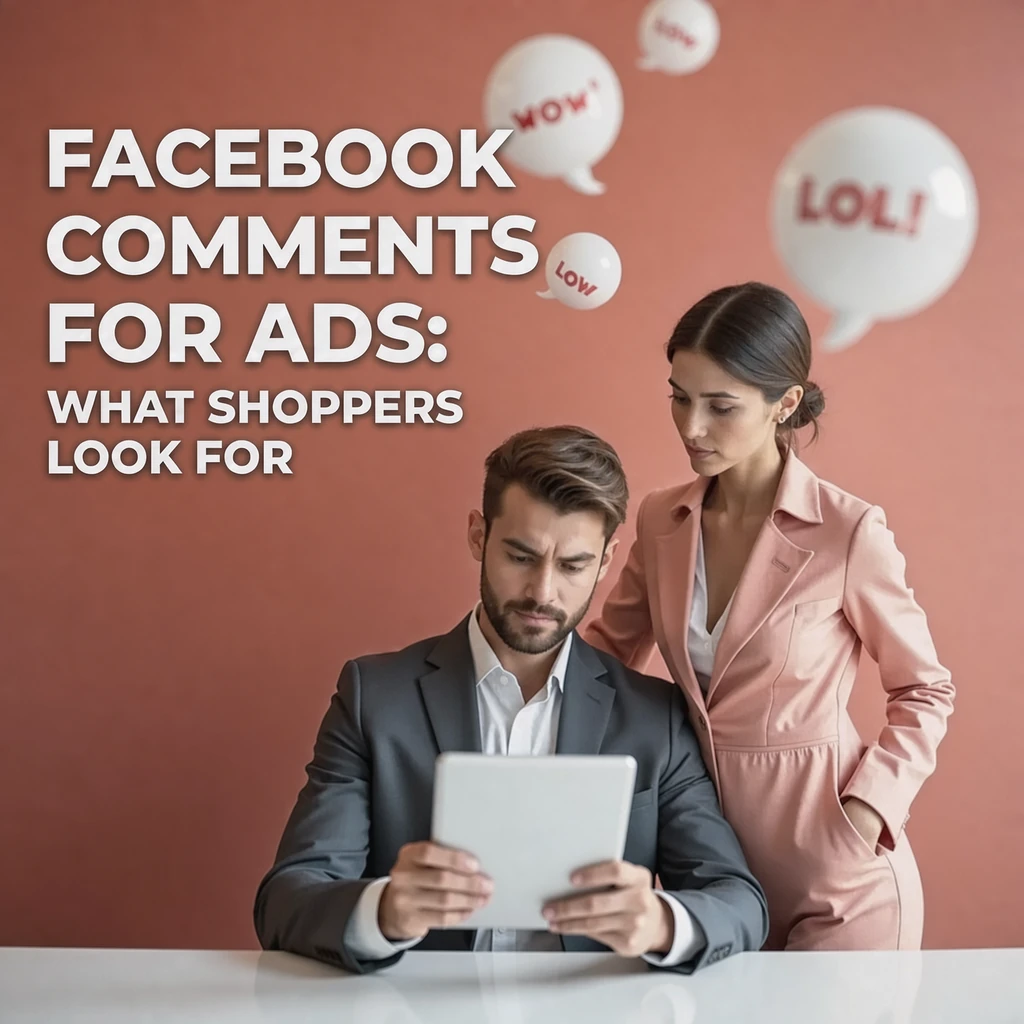
Facebook Comments for Ads: What Shoppers Look For
Ads are where this matters most, because the people who see a promoted post are mostly strangers who need a reason to trust it. Comments give them that reason before they ever reach your page. A sponsored post with no comments can look as if it reached nobody, even after Facebook has shown it to thousands of people. Comments also suit posts that ask something, like a poll or a “which one would you pick?” question, where an empty comment section defeats the whole point. If you advertise, it's worth adding Facebook followers as well, so the page behind the ad looks just as established when someone clicks through to it.
When to Use Custom Facebook Comments, Random Comments, or Emoji
For a business post, custom is nearly always the right choice, because the comments can pick up the details of the offer itself. Keep the lighter options for posts like a team photo or a holiday greeting. Many pages use both at once. They put custom comments under the post that sells and add random or emoji comments to the everyday posts around it. That way the key post carries the detail, and the rest of the page doesn't look empty next to it. If you're not sure which kind suits your page, start with a small order on one post and see how the thread reads before you plan the rest. Whichever kind you pick, comments land best on a post that already shows some approval. If yours doesn't have any yet, start with Facebook likes so the post already looks noticed when the comments roll in.
What Do Emoji Comments Add to a Facebook Post?
They work best where words would be too much. A new product photo, a behind-the-scenes Reel, a team milestone, a holiday greeting, or an announcement people are happy about: under posts like these, a few 🎉 or 👏 say it all at a glance. Nobody expects a paragraph under a birthday cake. They also fit posts where words need care, such as a fundraiser or a thank-you to your customers, since a short emoji rarely strikes the wrong tone. To complete the picture, add Facebook reactions to the same post, so the bar under it shows 👍 Like, ❤️ Love, and 😮 Wow alongside the comments.
How Do You Keep Facebook Post Comments From Being Hidden?
Check your page's own moderation settings, too. Facebook lets page owners block certain words and turn on a profanity filter, and both can hide a comment automatically. A perfectly friendly line can be hidden because it happens to contain a word on your list, so look at those settings first if something seems to be missing. You can approve a hidden comment from the same settings, and it shows up under the post again.
Every order includes a free 60-day refill, and the steps above are what keep it working for you. If you change a price or a date later, edit the original post rather than posting a new one, so the thread stays where it is. Finally, keep the post itself doing its job. A video that keeps collecting Facebook views keeps sending new people to the thread, which makes those comments worth even more.
Got a Post in Mind? We're Ready When You Are!
 Final Thoughts
Beyond comments, everything your Facebook page needs, from likes and reactions to followers, views, and shares, is in one place.
Pick the kind of comments at the top of this page. For custom comments, have your wording ready before you start.
Your order starts right after payment. You can watch the thread take shape on Facebook as comments appear under your post. You'll get the usual notification for each new comment, but if you'd rather not hear about every one, you can mute notifications for that post. We accept cards, Apple Pay, Google Pay, and crypto. Need a hand picking a style or drafting your custom comments? Our support team can help before you order or months down the road. You can ask us about posts on Instagram, TikTok, and YouTube, too.